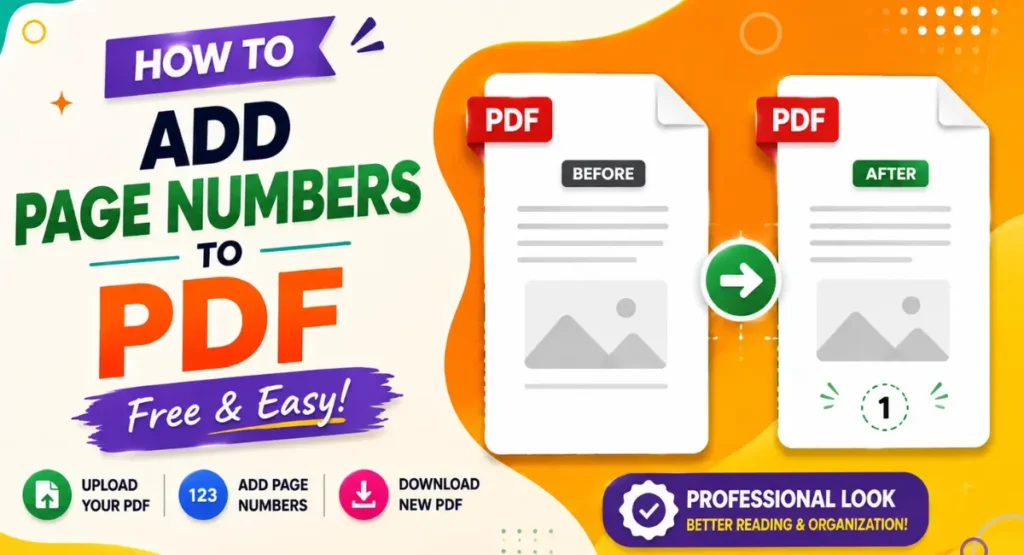
A PDF with many pages can become difficult to follow, especially when you are reading a report, project, book, notes, or a long document. Adding page numbers makes it much easier to know where you are and quickly find a particular page.
If your PDF does not already have page numbers, you do not need expensive PDF software to add them. You can use a free online tool and add page numbers directly from your browser.
In this guide, I will show you how to add page numbers to a PDF using the free PDF Page Numbers tool from Vertual Hands.
Why Are Page Numbers Important?
Page numbers make a document easier to read and organize.
For example, if you are sharing a 50 page report with someone, they can easily tell you which page they are talking about. Page numbers are also useful for assignments, ebooks, business reports, applications, and other documents.
They can save time when you need to find a specific section in a long PDF.
Add Page Numbers to PDF Online
You can add page numbers without downloading a PDF editor. The process can be completed online using your web browser.
Open the PDF Page Numbers tool here:
Tool Link: PDF Page Numbers Tool
Step 1: Upload Your PDF
Select the option to upload your PDF file.
Choose the document from your computer or device and wait for it to load.
It is a good idea to use the final version of your PDF because the page numbers will be added to the document you upload.
Step 2: Choose Your Page Number Settings
After uploading the PDF, set the page number options according to your needs.
You may want the numbers at the bottom of the page, at the top, or in another available position.
You can also choose the numbering style and adjust the settings provided by the tool.
Take a quick look at the preview before creating the final file so the numbers appear where you want them.
Step 3: Add the Page Numbers
Once your settings are ready, start the page numbering process.
The tool will add the numbers to your PDF pages automatically.
This is much faster than opening every page and adding numbers manually.
Step 4: Download Your Numbered PDF
After the process is complete, download the new PDF file.
Open the file and check a few pages to make sure the numbering looks correct.
Your PDF is now ready to share, print, or store.
Where Can You Use Numbered PDFs?
Page numbers are useful in many types of documents.
Students can add them to assignments, projects, research papers, and study material. Businesses can use them for reports, proposals, manuals, and company documents.
Page numbers are also helpful for ebooks, guides, forms, invoices, and large collections of scanned documents.
Add Page Numbers Without Installing Software
One of the easiest things about using an online tool is that you do not need to install a PDF editor.
You can open the tool in your browser, upload your document, add the numbers, and download the result.
This is useful when you only need to make a quick change to a PDF.
Can I Add Page Numbers to an Existing PDF?
Yes. You can use an existing PDF and add page numbers to its pages.
There is no need to recreate the document from the beginning just because the original file does not have page numbers.
This can be especially useful for old documents and PDFs that were created without numbering.
Can I Add Page Numbers from My Phone?
You can access the tool through a web browser on a phone or tablet.
This means you can add page numbers even when you are away from your computer. Simply open the tool, upload the PDF, adjust the available settings, and create the numbered document.
Why Use an Online PDF Page Number Tool?
An online tool is convenient when you need to finish the job quickly.
You do not have to learn complicated PDF editing software. You can work directly in your browser and create a numbered version of your document in a few steps.
It is also useful when you only need one specific PDF editing task instead of a complete PDF editing application.
Final Thoughts
Adding page numbers is a small change that can make a big difference to a PDF. It makes long documents easier to navigate, discuss, print, and organize.
If your PDF is missing page numbers, try the free PDF Page Numbers tool from Vertual Hands.
Add Page Numbers to Your PDF for Free
Upload your PDF, set the numbering options, create the updated file, and download your numbered PDF.